Import contact lists exactly as they are; when you're done, match the same file and clean up with one tap. Central contact updates for organizations, right in your pocket.
Add, find and clean up hundreds of contacts in seconds, without losing a single detail.
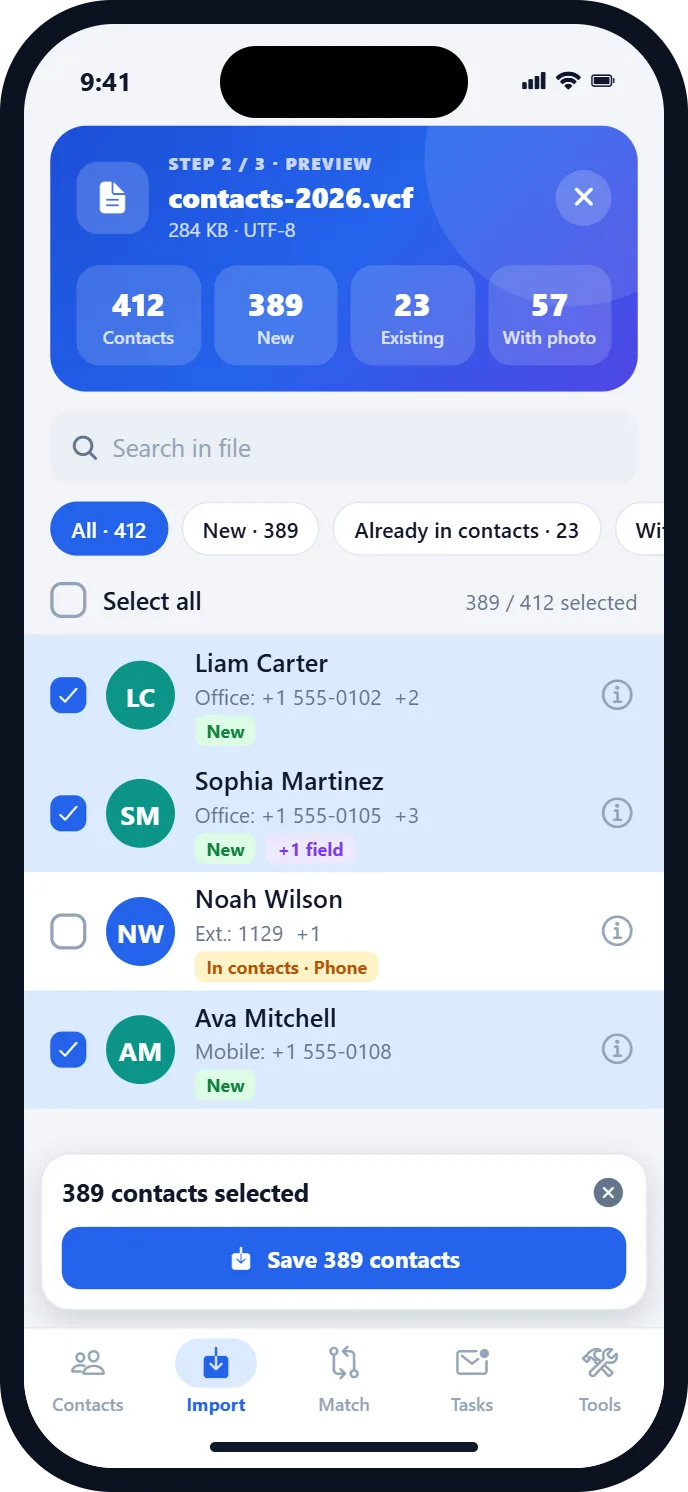
Photos, company, job title, address and dates included; preview every contact before saving.
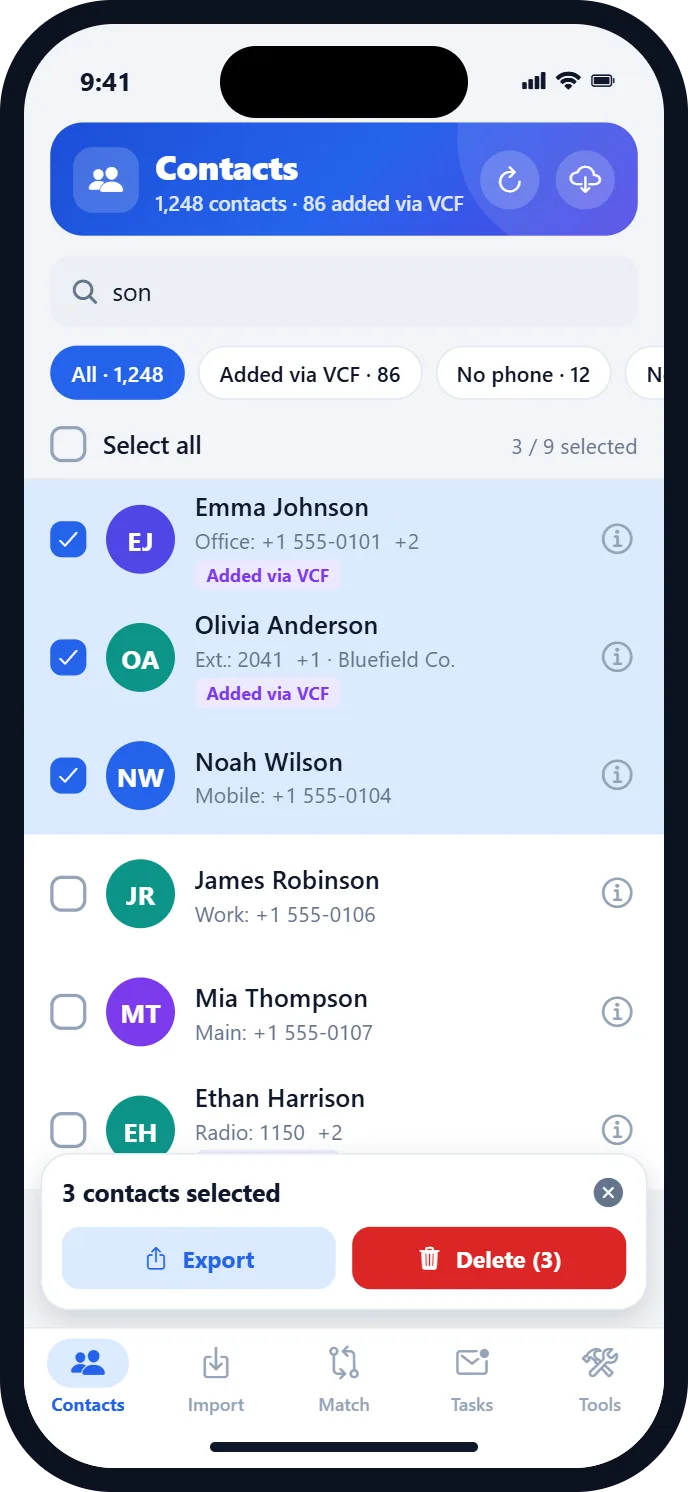
Your organization's own phone labels, like “Office”, “Ext.” or “Radio”, appear in your contacts exactly as they are.
Choose the old VCF file; its contacts are found in your address book automatically. Review and delete with one tap.
Files you import are kept in the app for 60 days, so you can match and delete even if the original is lost.
Contacts with the same name or number are grouped, and the extras are cleaned up at once.
A backup is offered before deleting, and you can undo an import with one tap.
Open the .vcf file from Files, Drive, WhatsApp or e-mail. Every alphabet and encoding is recognized automatically.
See which contacts are new and which are already in your address book, then save the ones you want.
Choose the same file; matching contacts are selected automatically. Review them and delete with one tap.
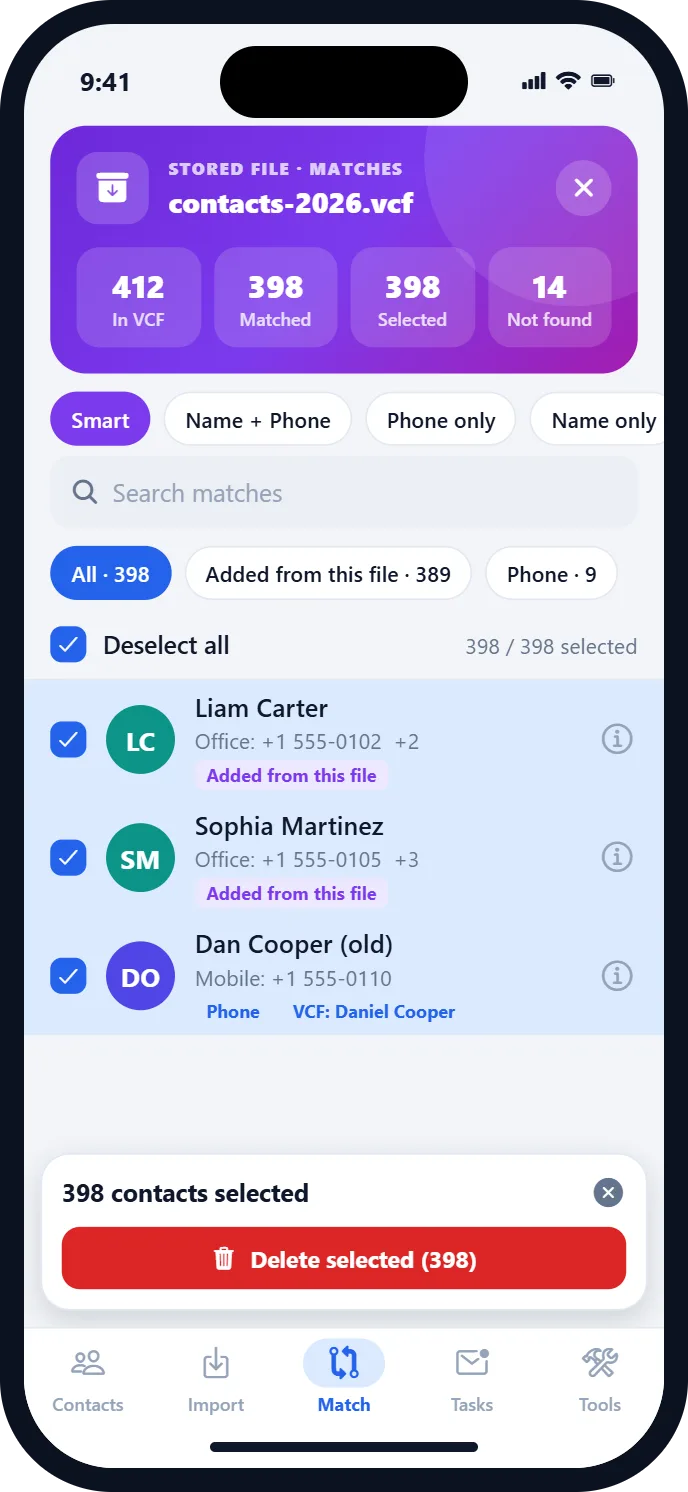
The reason for every match is shown: added from this file, name + phone, phone only or name only. With smart rules that prevent wrong matches.
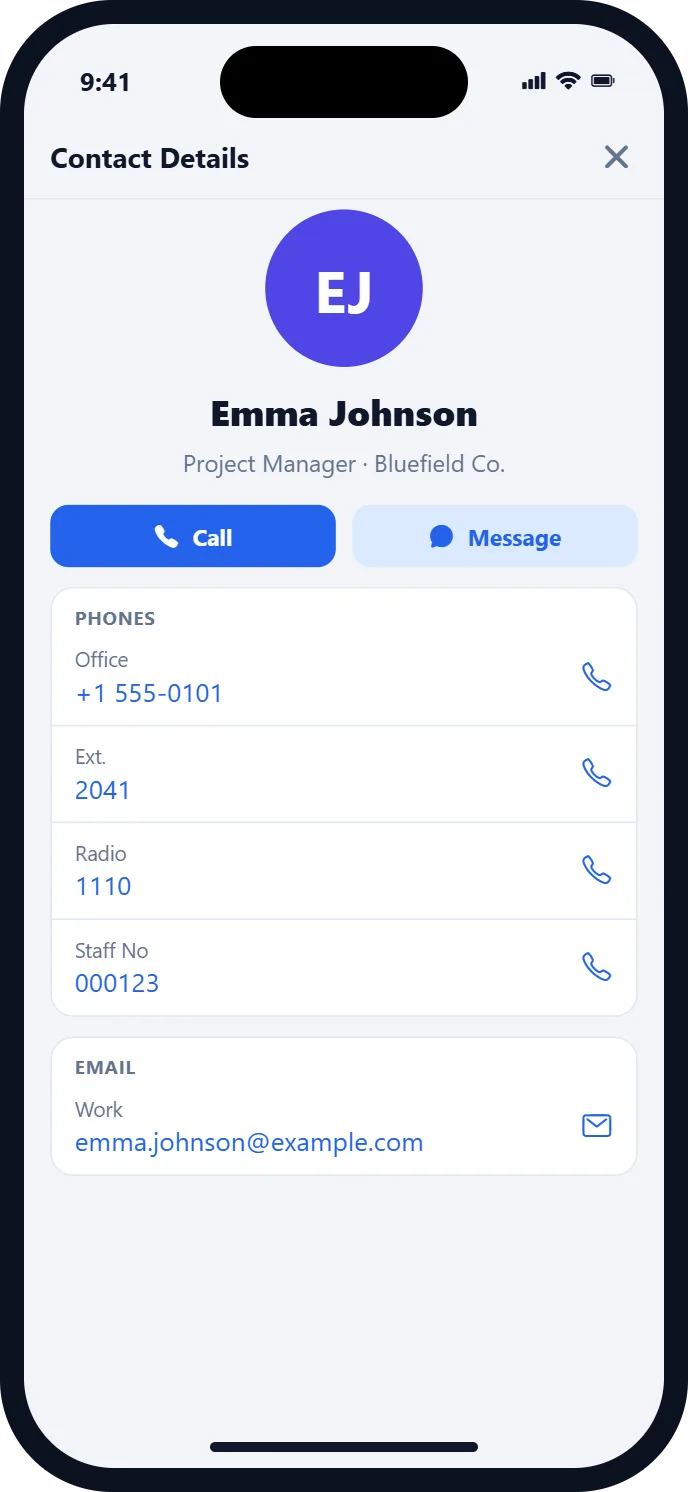
Custom fields from corporate directories are never lost. Every version from vCard 2.1 to 4.0; UTF-8, UTF-16 and legacy encodings are detected automatically.
Your administrator prepares “to delete” and “to add” lists in the web panel and sends them to you. You see a preview on your phone and approve it; old contacts are removed and new ones are added. Nothing changes without your approval.
Your administrator sends a taskVCF lists to delete and to add
You get a notificationSee how many contacts will be deleted and added
You approve, your contacts are updatedThe result is sent to your administrator instantly
Scan the QR code with your phone's camera; an iPhone opens the App Store and an Android phone opens Google Play automatically.
Download it now from the store for your phone.

Scan with your camera
For questions, suggestions or bug reports, e-mail us. When reporting a problem, please include your phone model and OS version.
support@primecontact.appNo. All matching, importing and deleting happens on your device; your contact details are never sent to a server.
Deletion cannot be undone. That's why we recommend “Back up and delete”, which saves your contacts as a VCF file first.
For your privacy, imported files are kept on your device for 60 days only and are then deleted automatically.
PrimeContact follows your phone's language. You can also pick one of 43 languages under Tools → Language.